Flash: Hands Free Module (HFM) Enhancements (08-020-17 REV. A)
Reference number: 08-020-17 REV. A
Supersedes refnos: 08-020-17
FLASH: HANDS FREE MODULE (HFM) ENHANCEMENTS
TECHNICAL SERVICE BULLETIN
| CHRYSLER: | 2013 - 2017 Chrysler Town & Country Dodge Grand Caravan (RT), Jeep Compass/Patriot (MK), Jeep Wrangler (JK); 2013 - 2014 Dodge Challenger (LC), Dodge Avenger Chrysler 200 (JS); 2013 Dodge Durango (WD), Jeep Grand Cherokee (WK) |
| GROUP: | Electrical |
SUBJECT
Flash: Hands Free Module (HFM) Enhancements
OVERVIEW
This bulletin involves reprogramming the HFM with the latest available software.
MODELS
| 2013 - 2017 | (RT) | Chrysler Town & Country Dodge Grand Caravan |
| 2013 - 2017 | (MK) | Jeep Compass/Patriot |
| 2013 - 2017 | (JK) | Jeep Wrangler |
| 2013 - 2014 | (LC) | Dodge Challenger |
| 2013 - 2014 | (JS) | Dodge Avenger Chrysler 200 |
| 2013 | (WD) | Dodge Durango |
| 2013 | (WK) | Jeep Grand Cherokee |
- Uconnect Voice Command W/Bluetooth.
- Media Center 430N CD/DVD/MP3/HDD/NAV (Sales Code RHB).
- Media Center 430 CD/DVD/MP3/HDD (Sales Code RBZ).
- Media Center 431 CD/DVD/MP3/HDD (Sales Code RB2).
- Uconnect 230 6CD/DVD/MP3 (Sales Code REQ).
- Uconnect 130 AM/FM/CD/MP3 (Sales Code RES).
SYMPTOM/CONDITION
The customer may notice one of the following:
- **HFM is offline.
- The HFM does not respond to the phone button or voice recognition button press.
- When pressing the phone button, the message "Uconnect phone not available" is present on the radio.**
- The hands free feature (Bluetooth®) does not work.
Upon further investigation the technician may find that the following Diagnostic Trouble Code (DTC) has been set:
- U0197 - Lost Communication With Hands Free Phone Module.
DIAGNOSIS
Using a Scan Tool (wiTECH) with the appropriate Diagnostic Procedures available in TechCONNECT, verify all related systems are functioning as designed. If DTCs or symptom conditions, other than the one listed above are present, record the issues on the repair order and repair as necessary before proceeding further with this bulletin.
If the customer describes the symptom/condition listed or if the technician finds the DTC, perform the REPAIR PROCEDURE .
PARTS REQUIRED
| Qty. | Part No. | Description |
|---|---|---|
| 1 (AR) | 68086985AB | USB Cable use on vehicles without remote USB port |
REPAIR PROCEDURE
- Check to see if the HFM is communicating.
- Start the engine and push the phone button on the steering wheel.
- Quickly turn the radio volume control knob to 20 (or about 3/4 of max) and set it there.
- Did the audio system play any of the following prompts: Uconnect Ready... beep, Ready... beep, or just an audible beep?
- YES >>> Proceed to Step 10.
- NO >>> Proceed to Step #5.
- Disconnect the battery for one minute.
- Reconnect the battery and see if the HFM is now communicating on the bus.
- Turn on the vehicle and push the phone button on the steering wheel.
- Make sure the radio volume is still set at 20 (or about 3/4 of max) and set it there.
- Did the audio system play any of the following prompts: Uconnect Ready... beep, Ready... beep, or just an audible beep?
- YES >>> Proceed to Step #10.
- NO >>> This bulletin does not apply. Normal diagnostics for a non responsive HFM should be performed.
NOTE: Before getting started, you must first determine the software version in the HFM. - After hearing the beep, say "Setup-Software Update".
- The HFM software version will now be displayed on the radio display screen.
- Is the software version one of the following:
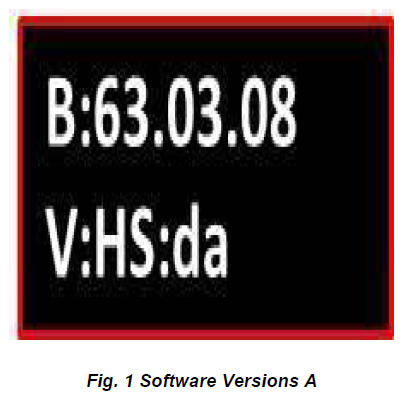
- For Wrangler, Grand Caravan, Town & Country, Grand Cherokee and Durango with Sales Code RSP
radios at B:63.03.08/V:HS:da (Fig. 1)?
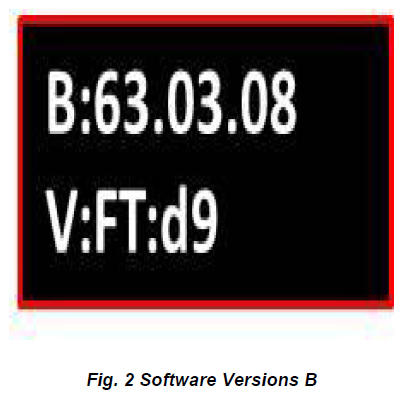
- For Patriot, Compass, Avenger, 200 and Challenger with Sales Code RSP
radios at B:63.03.08/V:FT:d9 (Fig. 2)?
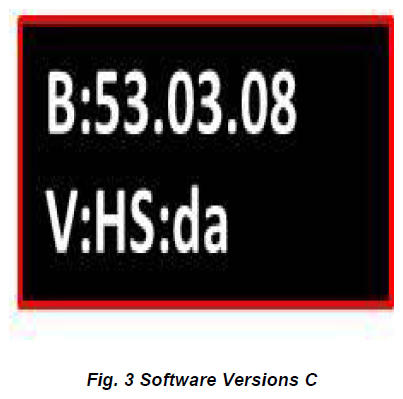
- For Wrangler, Grand Caravan, Town & Country, Grand Cherokee and Durango with Sales Code RSQ
radios at "B:53.03.08/V:HS:da (Fig. 3)?
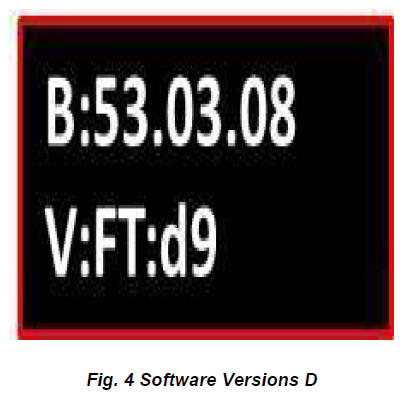
- For Patriot, Compass, Avenger, 200 and Challenger with Sales Code RSQ radios at B:53.03.08/V:FT:d9 (Fig. 4)?
NOTE: Both lines on the display should match the versions above by Sales Codes RSP or RSQ. - For Wrangler, Grand Caravan, Town & Country, Grand Cherokee and Durango with Sales Code RSP
radios at B:63.03.08/V:HS:da (Fig. 1)?
- Was the software one of the above?
- YES >>> This bulletin does not apply. Normal diagnosis should be performed.
- NO >>> proceed to Step #14.
- Has the USB flash drive been created with the correct software update files?
- YES >>> Proceed to Step 18.
- NO >>> Proceed to Step #15.
- Go to DealerCONNECT>Service>Uconnect Command Center>Uconnect>More Information > Dealer software downloads to download the files.
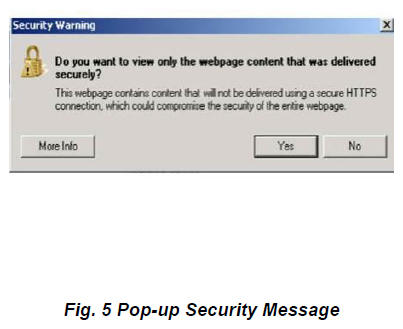
- If a security message appears "Do you want to view only the web page content that was delivered securely?" See (Fig. 5). Press 'No' to continue.NOTE: A blank USB flash drive must be used to download the software. Only one software update can be used on one USB flash drive. One USB flash drive can be used to service multiple vehicles.NOTE: If the dealer cannot download the software, make sure you have proper security access. If not, have the Service Manager or Shop Foreman download the software update.
- To download the software files to a USB flash drive, follow the on-screen instructions and perform the following:
- Acquire a blank USB flash drive with at least 4 GB of space.
- Download the software update file to your local PC's desktop.
- Be sure to extract the file before copying it to the blank USB flash drive.
- A blank USB flash drive will be needed for each HFM update. Additional updates can not be on the same USB flash drive.
- Once the file is saved to the USB flash drive, it is recommended to label the USB flash drive with the bulletin number.
- Does this vehicle have a remote USB port (Sales Code RSX)?
- YES >>> Proceed to Step 21.
- NO >>> Proceed to Step #19.
- Gain access to the HFM. Refer to the detailed service procedures available in DealerCONNECT> TechCONNECT under: Service Info > Electrical/8T - Navigation/Telecommunication/Module, Hands Free (HFM)/Removal.
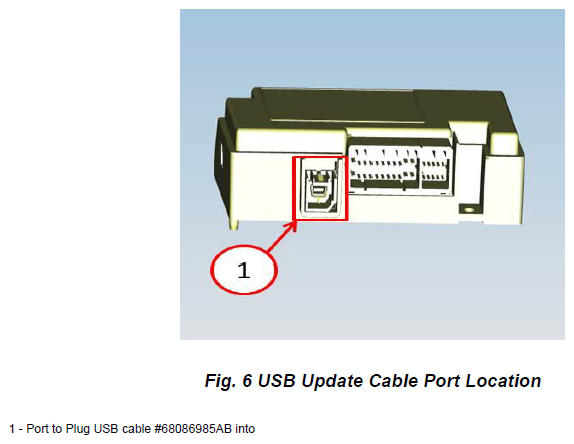
- Plug USB cable #68086985AB into the open port on the HFM (Fig. 6).
- With the engine running insert the correct USB flash drive into the USB port (Not the USB port on the radio).
- Push the phone button on the steering wheel and after a beep is heard say, "Setup-Software Update".
- The audio system will state "Starting Software Update. Please Wait..." This will be followed up with intermittent beeps.NOTE:
- The software update for MY16 and MY17 vehicles will only take one minute to flash.
- The software update may take 10 minutes, no other actions are needed at this time.
- After the update has been completed, the audio beeps will stop and the radio display will show a normal radio display.CAUTION: Do NOT remove the USB flash drive at this point, proceed to the next step.
- Push the phone button on the steering wheel.
- Did the audio system play any of the following prompts: Uconnect Ready... beep, Ready... beep, or just an audible beep?
- YES >>> Remove the USB flash drive from the USB port and proceed to Step 29.
- NO >>> Proceed to Step #27.
- Wait two minutes and push the phone button again.
- Did the audio system play any of the following prompts: Uconnect Ready... beep, Ready... beep, or just an audible beep?
- YES >>> Remove the USB flash drive from the USB port and proceed to Step #29.
- NO >>> Remove the USB flash drive and perform normal diagnostics, the module may need to be replaced.
- Verify that the HFM has been updated.
- Push the phone button on the steering wheel.
- Did the audio system play any of the following prompts: Uconnect Ready... beep, Ready... beep, or just an audible beep?
- YES >>> Proceed to Step 34.
- NO >>> Wait for an additional two minutes. After two minutes, push the phone button again. Proceed to Step #32.
- Did the audio system play any of the following prompts: Uconnect Ready... beep, Ready... beep, or just an audible beep?
- YES >>> Push radio phone button again to end phone session. Proceed to Step #35.
- NO >>> If prompt is not heard, further diagnosis should apply.
- After hearing a beep, say "Setup - Software Update".
- Push radio phone button again to end phone session and remove the USB stick from the USB port.
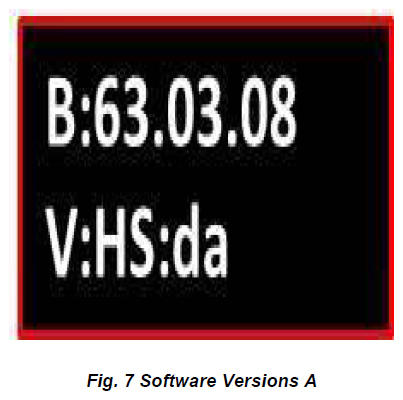
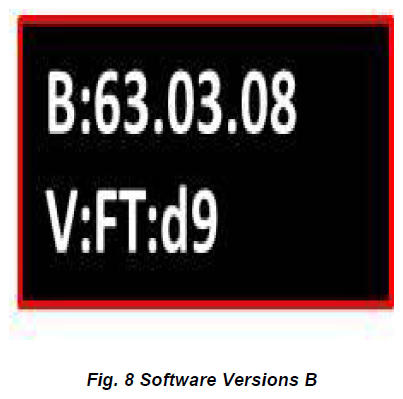
- Is the software version one of the following:
- For Wrangler, Grand Caravan, Town & Country, Grand Cherokee and Durango with Sales Code RSP
radios at B:63.03.08/V:HS:da (Fig. 7)?
- For Patriot, Compass, Avenger, 200 and Challenger with Sales Code RSP
radios at B:63.03.08/V:FT:d9 (Fig. 8)?
- For Wrangler, Grand Caravan, Town & Country, Grand Cherokee and Durango with Sales Code RSQ
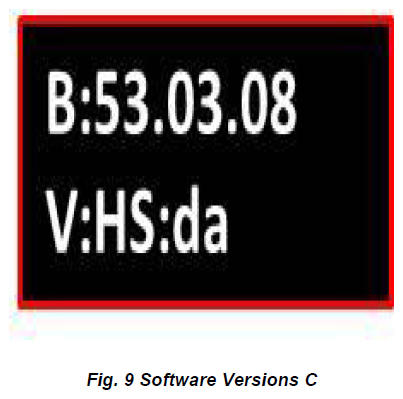
radios at "B:53.03.08/V:HS:da (Fig. 9)?
- For Patriot, Compass, Avenger, 200 and Challenger with Sales Code RSQ
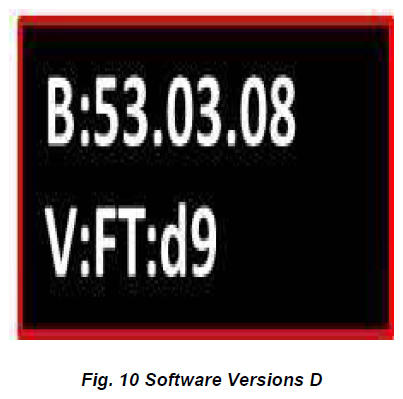
radios at B:53.03.08/V:FT:d9 (Fig. 10)?
NOTE: Both lines on the display should match the versions above by Sales Codes RSP or RSQ. - For Wrangler, Grand Caravan, Town & Country, Grand Cherokee and Durango with Sales Code RSP
radios at B:63.03.08/V:HS:da (Fig. 7)?
- Was the software one of the above?
- YES >>> This bulletin does not apply. Normal diagnosis should be performed.
- NO >>> Proceed to Step #37.
- Is this the second attempt to update the HFM?
- YES >>> Make sure the correct software is being used and try to download the file from the website again on to a new USB flash drive.
- NO >>> Flash the HFM again proceed to Step 18.
- If USB update cable #68086985AB was used to update the module, remove the cable and install the HFM. Refer to the detailed service procedures available in DealerCONNECT> TechCONNECT under: Service Info> Electrical/8E - Electronic Control Modules/Module, Convergence Telematics/Installation.
- Reconnect the wiTECH and clear any DTCs that may have been set in all modules due to this software update.
POLICY
Reimbursable within the provisions of the warranty.
TIME ALLOWANCE
| Labor Operation No: | Description | Skill Category | Amount |
|---|---|---|---|
| 18-20-34-9Q | Module, Convergence Telematics (CTM) - Update Software Without Remote USB Port (JS Vehicles) Without Sales Code RSX (0 - Introduction) | 6 - Electrical and Body Systems | 0.6 Hrs. |
| 18-20-34-9V | Module, Convergence Telematics (CTM) - Update Software Without Remote USB Port (RT/MK Vehicle's Built Before 09/30/2015) Without Sales Code RSX (0 - Introduction) | 6 - Electrical and Body Systems | 0.6 Hrs. |
| 18-20-34-9N | Module, Convergence Telematics (CTM) - Update Software Without Remote USB Port (LC Vehicles) Without Sales Code RSX (0 - Introduction) | 6 - Electrical and Body Systems | 0.5 Hrs. |
| 18-20-34-9M | Module, Convergence Telematics (CTM) - Inspect Software Level and Perform Software Update (Built After 09/30/2015) (0 - Introduction) | 6 - Electrical and Body Systems | 0.2 Hrs. |
| 18-20-34-9L | Module, Convergence Telematics (CTM) - Inspect Software Level and Perform Software Update (Built Before 09/30/2015) (0 - Introduction) | 6 - Electrical and Body Systems | 0.4 Hrs. |
| 18-20-34-9U | Module, Convergence Telematics (CTM) - Create USB Jump Drive From CD or Uconnect Website (One Time Only, Each Model Year) (0 - Introduction) | 6 - Electrical and Body Systems | 0.2 Hrs. |
| 18-20-34-9T | Module, Convergence Telematics (CTM) - Update Software Without Remote USB Port (WD, WK Vehicles) Without Sales Code RSX (0 - Introduction) | 6 - Electrical and Body Systems | 1.0 Hrs. |
| 18-20-34-9R | Module, Convergence Telematics (CTM) - Update Software Without Remote USB Port (JK Vehicle's Built Before 09/30/2015) Without Sales Code RSX (0 - Introduction) | 6 - Electrical and Body Systems | 0.8 Hrs. |
FAILURE CODE
**The dealer must use failure code CC with this Service Bulletin.
- If the customer's concern matches the SYMPTOM/CONDITION identified in the Service Bulletin, failure code CC is to be used.
- When utilizing this failure code, the 3C's (customer's concern, cause and correction) must be provided for processing Service Bulletin flash/reprogramming conditions.**
| CC | Customer Concern |