Integrated Control Unit (ICU): Disassembly: Disassembly
 Courtesy of CHRYSLER GROUP, LLC
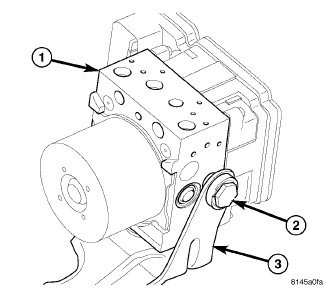
| 1 - ICU |
| 2 - MOUNTING BOLT |
| 3 - MOUNTING BRACKET |
- If the mounting bracket (3) needs to be removed from the ICU, remove the single mounting bolt (2), then slide the ICU's mounting pins out of the grommets in the bracket and remove the bracket.
 Courtesy of CHRYSLER GROUP, LLC
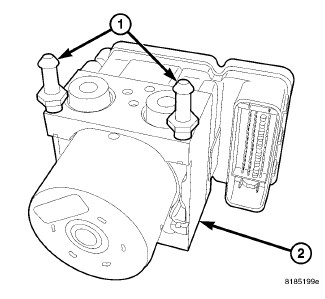
- Remove the mounting pins from the ICU.
 Courtesy of CHRYSLER GROUP, LLC
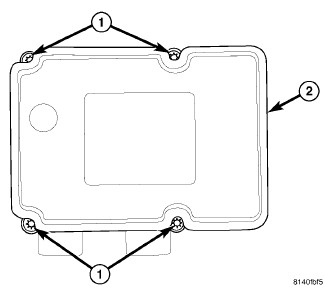
| 1 - MOUNTING SCREWS |
| 2 - ABM |
- Remove the four screws (1) attaching the ABM (2) to the HCU.
 Courtesy of CHRYSLER GROUP, LLC
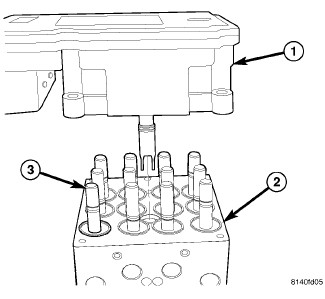
| 1 - ABM |
| 2 - HCU |
| 3 - SOLENOID VALVE STEM |
- Separate the ABM (1) from the HCU (2).